<?php/** * jtlwawi_connector/dbeS/setArtikelBild.php * Synchronisationsscript * * Es gelten die Nutzungs- und Lizenzhinweise unter http://www.jtl-software.de/jtlwawi.php * * @author JTL-Software <thomas@jtl-software.de> * @copyright 2006, JTL-Software * @link http://jtl-software.de/jtlwawi.php * @version v1.03 / 20.08.06*/
require_once("syncinclude.php");
$return=3;$_POST['userID'] = $_POST['euser'];$_POST['userPWD'] = $_POST['epass'];if (auth()){ $return=0; //nur BildNr 1 wird berücksichtigt if (intval($_POST['kArtikelBild'])>0 && $_FILES['bild']) { //hol Anzahl unterstützter Bidler $cur_query = xtc_db_query("select configuration_value from configuration where configuration_key=\"MO_PICS\""); $additional_pics = mysql_fetch_object($cur_query); //hol products_id $products_id = getFremdArtikel(intval($_POST['kArtikelBild'])); if ($products_id>0) { //hole einstellungen $cur_query = eS_execute_query("select * from eazysales_einstellungen"); $einstellungen = mysql_fetch_object($cur_query); //hole artikelnamen $cur_query = eS_execute_query("select products_name from products_description where products_id=".$products_id." and language_id=".$einstellungen->languages_id); $product = mysql_fetch_object($cur_query); //ersetze sonderzeichen und alles kleinmachen $productname = $product->products_name; $search_array = array('ä', 'Ä', 'ö', 'Ö', 'ü', 'Ü', 'ä', 'Ä', 'ö', 'Ö', 'ü', 'Ü', 'ß', 'ß', 'è', 'é', 'ê', 'à', 'â', 'á', 'É', 'È', 'Ê', 'Á', 'À', 'Â', '&'); $replace_array = array('ae', 'Ae', 'oe', 'Oe', 'ue', 'Ue', 'ae', 'Ae', 'oe', 'Oe', 'ue', 'Ue', 'ss', 'ss', 'e', 'e', 'e', 'a', 'a', 'a', 'E', 'E', 'E', 'A', 'A', 'A', 'und'); $productname = str_replace($search_array,$replace_array,$productname); $productname = strtolower($productname); $replace_param = '/[^a-zA-Z0-9]/'; $productname = preg_replace($replace_param,'-',$productname); $productname = substr($productname, 0, 57); // BOF - Tomcraft - 2010-08-12 - GIF/JPG/PNG enhancement - forum.jtl-software.de/xt-commerce/6908-bilder-aus-jtl-wawi-erscheinen-nicht-im-shop-2.html $bildname=$productname."-".$products_id."-".(intval($_POST['nNr'])-1)."."; if (intval($_POST['nNr'])==1 || $additional_pics->configuration_value>=intval($_POST['nNr'])-1) { $bildinfo = getimagesize ( $_FILES['bild']['tmp_name'] ); if($bildinfo[2] == "2") { $type = "jpg"; move_uploaded_file($_FILES['bild']['tmp_name'],DIR_FS_CATALOG_ORIGINAL_IMAGES.$bildname.$type); //chmod (DIR_FS_CATALOG_ORIGINAL_IMAGES.$bildname.$type, 0644); $im = @imagecreatefromjpeg (DIR_FS_CATALOG_ORIGINAL_IMAGES.$bildname.$type); } if($bildinfo[2] == "1") { $type = "gif"; move_uploaded_file($_FILES['bild']['tmp_name'],DIR_FS_CATALOG_ORIGINAL_IMAGES.$bildname.$type); //chmod (DIR_FS_CATALOG_ORIGINAL_IMAGES.$bildname.$type, 0644); $im = @imagecreatefromgif (DIR_FS_CATALOG_ORIGINAL_IMAGES.$bildname.$type); } if($bildinfo[2] == "3") { $type = "png"; move_uploaded_file($_FILES['bild']['tmp_name'],DIR_FS_CATALOG_ORIGINAL_IMAGES.$bildname.$type); //chmod (DIR_FS_CATALOG_ORIGINAL_IMAGES.$bildname.$type, 0644); $im = @imagecreatefrompng (DIR_FS_CATALOG_ORIGINAL_IMAGES.$bildname.$type); }
if ($im) { //bild skalieren list($width, $height) = getimagesize(DIR_FS_CATALOG_ORIGINAL_IMAGES.$bildname.$type); $ratio = $width / $height;
//thumbnail $cur_query = xtc_db_query("select configuration_value from configuration where configuration_key=\"PRODUCT_IMAGE_THUMBNAIL_WIDTH\""); $width_obj = mysql_fetch_object($cur_query); $cur_query = xtc_db_query("select configuration_value from configuration where configuration_key=\"PRODUCT_IMAGE_THUMBNAIL_HEIGHT\""); $height_obj = mysql_fetch_object($cur_query); $new_width = 120; if ($width_obj->configuration_value>0) $new_width = $width_obj->configuration_value; $new_height = round ($new_width / $ratio); if ($new_height>$height_obj->configuration_value) { $new_height=$height_obj->configuration_value; $new_width = round ($new_height * $ratio); } $image_p = imagecreatetruecolor($new_width, $new_height); imagecopyresampled($image_p, $im, 0, 0, 0, 0, $new_width, $new_height, $width, $height);
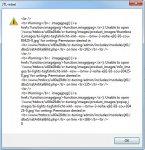
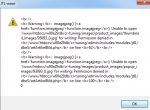
switch($type) { case "jpg": imagejpeg($image_p, DIR_FS_CATALOG_THUMBNAIL_IMAGES.$bildname.$type); break;
case "gif": imagegif($image_p, DIR_FS_CATALOG_THUMBNAIL_IMAGES.$bildname.$type, 80); break;
case "png": imagepng($image_p, DIR_FS_CATALOG_THUMBNAIL_IMAGES.$bildname.$type); break; }
//chmod (DIR_FS_CATALOG_THUMBNAIL_IMAGES.$bildname.$type, 0644);
//info $cur_query = xtc_db_query("select configuration_value from configuration where configuration_key=\"PRODUCT_IMAGE_INFO_WIDTH\""); $width_obj = mysql_fetch_object($cur_query); $cur_query = xtc_db_query("select configuration_value from configuration where configuration_key=\"PRODUCT_IMAGE_INFO_HEIGHT\""); $height_obj = mysql_fetch_object($cur_query); $new_width = 200; if ($width_obj->configuration_value>0) $new_width = $width_obj->configuration_value; $new_height = round ($new_width / $ratio); if ($new_height>$height_obj->configuration_value) { $new_height=$height_obj->configuration_value; $new_width = round ($new_height * $ratio); } $image_p = imagecreatetruecolor($new_width, $new_height); imagecopyresampled($image_p, $im, 0, 0, 0, 0, $new_width, $new_height, $width, $height); switch($type) { case "jpg": imagejpeg($image_p, DIR_FS_CATALOG_INFO_IMAGES.$bildname.$type); break;
case "gif": imagegif($image_p, DIR_FS_CATALOG_INFO_IMAGES.$bildname.$type, 80); break;
case "png": imagepng($image_p, DIR_FS_CATALOG_INFO_IMAGES.$bildname.$type); break; }
//chmod (DIR_FS_CATALOG_INFO_IMAGES.$bildname.$type, 0644);
//popup $cur_query = xtc_db_query("select configuration_value from configuration where configuration_key=\"PRODUCT_IMAGE_POPUP_WIDTH\""); $width_obj = mysql_fetch_object($cur_query); $cur_query = xtc_db_query("select configuration_value from configuration where configuration_key=\"PRODUCT_IMAGE_POPUP_HEIGHT\""); $height_obj = mysql_fetch_object($cur_query); $new_width = 300; if ($width_obj->configuration_value>0) $new_width = $width_obj->configuration_value; $new_height = round ($new_width / $ratio); if ($new_height>$height_obj->configuration_value) { $new_height=$height_obj->configuration_value; $new_width = round ($new_height * $ratio); } $image_p = imagecreatetruecolor($new_width, $new_height); imagecopyresampled($image_p, $im, 0, 0, 0, 0, $new_width, $new_height, $width, $height); switch($type) { case "jpg": imagejpeg($image_p, DIR_FS_CATALOG_POPUP_IMAGES.$bildname.$type); break;
case "gif": imagegif($image_p, DIR_FS_CATALOG_POPUP_IMAGES.$bildname.$type, 80); break;
case "png": imagepng($image_p, DIR_FS_CATALOG_POPUP_IMAGES.$bildname.$type); break; }
//chmod (DIR_FS_CATALOG_POPUP_IMAGES.$bildname.$type, 0644);// EOF - Tomcraft - 2010-08-12 - GIF/JPG/PNG enhancement - forum.jtl-software.de/xt-commerce/6908-bilder-aus-jtl-wawi-erscheinen-nicht-im-shop-2.html //updaten if (intval($_POST['nNr'])==1) eS_execute_query("update products set products_image=\"".$bildname.$type."\" where products_id=".$products_id); else { //lösche evtl. alten Eintrag eS_execute_query("delete from products_images where products_id=$products_id and image_nr=".(intval($_POST['nNr'])-1)); eS_execute_query("insert into products_images (products_id, image_nr, image_name) values ($products_id, ".(intval($_POST['nNr'])-1).", \"".$bildname.$type."\")"); } } } } }}mysql_close();echo($return);logge($return);
?>