
XTC modified - JTL Connector Installation klappt aber keine Synchron. möglich

blueeyes084

Aktives Mitglied
4. November 2011
2
0
Hallo,
ich bin schon fast am Verzweifeln, da ich JTL auch nach Stunden nicht mit meinem SHOP verbunden bekomme.
Der Shop ist ein XTC Modified 1.05 und JTL ist auch auf dem neusten Stand.

So siehts aus: jtl.jpg
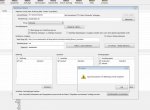
Dann dachte ich, dass ich es vielleicht mal mit einer manuellen Installiation versuche. Unter /admin/includes/modules/jtlwawi_connector/admin/konfiguration.php hab ich dann alles eingestellt und beim Speichern kam dann:


Notice: Use of undefined constant DOCROOT_PATH - assumed 'DOCROOT_PATH' in /var/www/web416/html/shop/admin/includes/modules/jtlwawi_connector/paths.php on line 15

Warning: session_start() [function.session-start]: Cannot send session cookie - headers already sent by (output started at /var/www/web416/html/shop/admin/includes/modules/jtlwawi_connector/paths.php:15) in /var/www/web416/html/shop/admin/includes/modules/jtlwawi_connector/admin/AdminSession.php on line 92

Warning: session_start() [function.session-start]: Cannot send session cache limiter - headers already sent (output started at /var/www/web416/html/shop/admin/includes/modules/jtlwawi_connector/paths.php:15) in /var/www/web416/html/shop/admin/includes/modules/jtlwawi_connector/admin/AdminSession.php on line 92

Notice: Undefined index: loggedIn in /var/www/web416/html/shop/admin/includes/modules/jtlwawi_connector/admin/konfiguration.php on line 19

Warning: Cannot modify header information - headers already sent by (output started at /var/www/web416/html/shop/admin/includes/modules/jtlwawi_connector/paths.php:15) in /var/www/web416/html/shop/admin/includes/modules/jtlwawi_connector/admin/konfiguration.php on line 21

Ich weiß nicht, ob das irgendwie zusammenhängt...

Über Hilfe wäre ich sehr danbar

D. Schlosser

 

Anhänge

  • jtl.jpg
    jtl.jpg
    91,9 KB · Aufrufe: 62

AndyG

Aktives Mitglied
14. August 2007
197
0
AW: XTC modified - JTL Connector Installation klappt aber keine Synchron. möglich

Werden diese Meldungen auch in den Dropdownfeldern der Connector Konfiguration angezeigt?
Das hatte ich mal und dann funktionierte der Connector auch nicht.

Stell mal das error_reporting aus.

Öffne dazu die path.php im Connector Verzeichnis und gebe über

//Pfad zum Shop Root

folgendes ein
error_reporting(0);

dann ging es bei mir!
 

blueeyes084

Aktives Mitglied
4. November 2011
2
0
AW: XTC modified - JTL Connector Installation klappt aber keine Synchron. möglich

Andy vielen vielen vielen Dank, Du bist echt super! Hat sofort geklappt! 🙂 Jetzt kanns endlich weiter gehen!
 

Andre Jonas

Aktives Mitglied
13. Juli 2007
11
0
AW: XTC modified - JTL Connector Installation klappt aber keine Synchron. möglich

Hallo Andy,

ich möchte dir auf diesem Weg lieben Dank zukommen lassen. Du hast mir heute den Tag gerettet.

Dein Tip:

* * *
Werden diese Meldungen auch in den Dropdownfeldern der Connector Konfiguration angezeigt?
Das hatte ich mal und dann funktionierte der Connector auch nicht.

Stell mal das error_reporting aus.

Öffne dazu die path.php im Connector Verzeichnis und gebe über

//Pfad zum Shop Root
folgendes ein
error_reporting(0);
* * *

Hat mir super weiter geholfen.

Liebe Grüße

Andre

Werden diese Meldungen auch in den Dropdownfeldern der Connector Konfiguration angezeigt?
Das hatte ich mal und dann funktionierte der Connector auch nicht.

Stell mal das error_reporting aus.

Öffne dazu die path.php im Connector Verzeichnis und gebe über

//Pfad zum Shop Root

folgendes ein
error_reporting(0);

dann ging es bei mir!
 

Andre Jonas

Aktives Mitglied
13. Juli 2007
11
0
AW: XTC modified - JTL Connector Installation klappt aber keine Synchron. möglich

Für die jenigen die es Interessiert:

Synchronisation von JTL WAWI mit Gambio Shop ging nach Umzug auf einen neuen Server nicht mehr.

Im Forum liesst man an verschiedenen Stellen man soll die php.ini ändern und das error reporting ausschalten oder uber eine htaccess datei das reporting deativieren. Bei mir haben diese Einstellungen aber nicht bewirkt das die Syschronisation wieder funktioniert. Ob genannte Lösung wr für mich erfolgreich.

Anbei die Fehlermeldungen:
Notice: Undefined index: syncuser in /var/www/clients/client4/web70/web/shop/admin/includes/modules/jtlwawi_connector/install/index.php on line 448
Notice: Use of undefined constant STORE_DB_TRANSACTIONS - assumed 'STORE_DB_TRANSACTIONS' in /var/www/clients/client4/web70/web/shop/inc/xtc_db_query.inc.php on line 28
Notice: Use of undefined constant STORE_DB_TRANSACTIONS - assumed 'STORE_DB_TRANSACTIONS' in /var/www/clients/client4/web70/web/shop/inc/xtc_db_query.inc.php on line 80
Notice: Undefined variable: einstellungen in /var/www/clients/client4/web70/web/shop/admin/includes/modules/jtlwawi_connector/install/index.php on line 129
Notice: Trying to get property of non-object in /var/www/clients/client4/web70/web/shop/admin/includes/modules/jtlwawi_connector/install/index.php on line 129
Notice: Undefined property: stdClass::$tax_priority in /var/www/clients/client4/web70/web/shop/admin/includes/modules/jtlwawi_connector/install/index.php on line 131
Notice: Undefined property: stdClass::$versandMwst in /var/www/clients/client4/web70/web/shop/admin/includes/modules/jtlwawi_connector/install/index.php on line 133
Notice: Undefined property: stdClass::$tax_zone_id in /var/www/clients/client4/web70/web/shop/admin/includes/modules/jtlwawi_connector/install/index.php on line 135
Notice: Undefined property: stdClass::$languages_id in /var/www/clients/client4/web70/web/shop/admin/includes/modules/jtlwawi_connector/install/index.php on line 137
Notice: Use of undefined constant STORE_DB_TRANSACTIONS - assumed 'STORE_DB_TRANSACTIONS' in /var/www/clients/client4/web70/web/shop/inc/xtc_db_query.inc.php on line 28
Notice: Use of undefined constant STORE_DB_TRANSACTIONS - assumed 'STORE_DB_TRANSACTIONS' in /var/www/clients/client4/web70/web/shop/inc/xtc_db_query.inc.php on line 80
Notice: Use of undefined constant STORE_DB_TRANSACTIONS - assumed 'STORE_DB_TRANSACTIONS' in /var/www/clients/client4/web70/web/shop/inc/xtc_db_query.inc.php on line 28
Notice: Use of undefined constant STORE_DB_TRANSACTIONS - assumed 'STORE_DB_TRANSACTIONS' in /var/www/clients/client4/web70/web/shop/inc/xtc_db_query.inc.php on line 80
Notice: Undefined property: stdClass::$mappingEndkunde in /var/www/clients/client4/web70/web/shop/admin/includes/modules/jtlwawi_connector/install/index.php on line 155
Notice: Use of undefined constant STORE_DB_TRANSACTIONS - assumed 'STORE_DB_TRANSACTIONS' in /var/www/clients/client4/web70/web/shop/inc/xtc_db_query.inc.php on line 28
Notice: Use of undefined constant STORE_DB_TRANSACTIONS - assumed 'STORE_DB_TRANSACTIONS' in /var/www/clients/client4/web70/web/shop/inc/xtc_db_query.inc.php on line 80
Notice: Use of undefined constant STORE_DB_TRANSACTIONS - assumed 'STORE_DB_TRANSACTIONS' in /var/www/clients/client4/web70/web/shop/inc/xtc_db_query.inc.php on line 28
Notice: Use of undefined constant STORE_DB_TRANSACTIONS - assumed 'STORE_DB_TRANSACTIONS' in /var/www/clients/client4/web70/web/shop/inc/xtc_db_query.inc.php on line 80
Notice: Undefined property: stdClass::$mappingHaendlerkunde in /var/www/clients/client4/web70/web/shop/admin/includes/modules/jtlwawi_connector/install/index.php on line 165
Notice: Undefined index: installiereSchritt1 in /var/www/clients/client4/web70/web/shop/admin/includes/modules/jtlwawi_connector/install/index.php on line 169

So sieht die finale Datei paths.php im Verzeichnis shop/admin/includes/modules/jtlwawi_connector aus:

<?php
/**
* jtlwawi_connector/index.php
* AdminLogin für jtlwawi Connector
*
* Es gelten die Nutzungs- und Lizenzhinweise unter http://www.jtl-software.de/jtlwawi.php
*
* @author JTL-Software <thomas@jtl-software.de>
* @copyright 2006, JTL-Software
* @link http://jtl-software.de/jtlwawi.php
* @version v1.0 / 14.06.06
*/

error_reporting(0);
//Pfad zum Shop Root
define (DOCROOT_PATH,"../../../../../");

?>
 

Ähnliche Themen