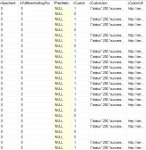
SELECT
JSON_VALUE(pf_amazon_bestellungpos.cCustomJson, '$.orderId') AS 'Bestellnummer Amazon',
JSON_VALUE(pf_amazon_bestellungpos.cCustomJson, '$.orderItemId') AS 'ItemId Amazon',
JSON_VALUE(pf_amazon_bestellungpos.cCustomJson, '$.title') AS 'Angebotsname',
JSON_VALUE(pf_amazon_bestellungpos.cCustomJson, '$.quantity') AS 'Menge',
-- Surface 0 / Area 0
CASE WHEN JSON_VALUE(pf_amazon_bestellungpos.cCustomJson, '$.customizationInfo."version3.0".surfaces[0].areas[0].customizationType') IS NOT NULL THEN  CONCAT(JSON_VALUE(pf_amazon_bestellungpos.cCustomJson, '$.customizationInfo."version3.0".surfaces[0].areas[0].customizationType'), ' / ', JSON_VALUE(pf_amazon_bestellungpos.cCustomJson, '$.customizationInfo."version3.0".surfaces[0].areas[0].name'), ' ', JSON_VALUE(pf_amazon_bestellungpos.cCustomJson, '$.customizationInfo."version3.0".surfaces[0].areas[0].svgImage')) END AS 'Custom-Typ 1-1',
JSON_VALUE(pf_amazon_bestellungpos.cCustomJson, '$.customizationInfo."version3.0".surfaces[0].areas[0].label') AS 'Label 1-1',
CONCAT(JSON_VALUE(pf_amazon_bestellungpos.cCustomJson, '$.customizationInfo."version3.0".surfaces[0].areas[0].text'), JSON_VALUE(pf_amazon_bestellungpos.cCustomJson, '$.customizationInfo."version3.0".surfaces[0].areas[0].optionValue')) AS 'Wert 1-1',
CASE WHEN JSON_VALUE(pf_amazon_bestellungpos.cCustomJson, '$.customizationInfo."version3.0".surfaces[0].areas[0].Position.x') IS NOT NULL THEN CONCAT('X: ', JSON_VALUE(pf_amazon_bestellungpos.cCustomJson, '$.customizationInfo."version3.0".surfaces[0].areas[0].Position.x'), ', Y: ', JSON_VALUE(pf_amazon_bestellungpos.cCustomJson, '$.customizationInfo."version3.0".surfaces[0].areas[0].Position.y')) END AS 'Position 1-1',
CASE WHEN JSON_VALUE(pf_amazon_bestellungpos.cCustomJson, '$.customizationInfo."version3.0".surfaces[0].areas[0].Dimensions.width') IS NOT NULL THEN CONCAT(JSON_VALUE(pf_amazon_bestellungpos.cCustomJson, '$.customizationInfo."version3.0".surfaces[0].areas[0].Dimensions.width'), ' x ', JSON_VALUE(pf_amazon_bestellungpos.cCustomJson, '$.customizationInfo."version3.0".surfaces[0].areas[0].Dimensions.height')) END AS 'Breite x Höhe 1-1',
CASE WHEN JSON_VALUE(pf_amazon_bestellungpos.cCustomJson, '$.customizationInfo."version3.0".surfaces[0].areas[0].fill') IS NOT NULL THEN CONCAT(JSON_VALUE(pf_amazon_bestellungpos.cCustomJson, '$.customizationInfo."version3.0".surfaces[0].areas[0].fill'), ' / ', JSON_VALUE(pf_amazon_bestellungpos.cCustomJson, '$.customizationInfo."version3.0".surfaces[0].areas[0].colorName')) END AS 'Füllfarbe 1-1',
JSON_VALUE(pf_amazon_bestellungpos.cCustomJson, '$.customizationInfo."version3.0".surfaces[0].areas[0].fontFamily') AS 'Font 1-1',
-- Surface 0 / Area 1

CASE WHEN JSON_VALUE(pf_amazon_bestellungpos.cCustomJson, '$.customizationInfo."version3.0".surfaces[0].areas[1].customizationType') IS NOT NULL THEN  CONCAT(JSON_VALUE(pf_amazon_bestellungpos.cCustomJson, '$.customizationInfo."version3.0".surfaces[0].areas[1].customizationType'), ' / ', JSON_VALUE(pf_amazon_bestellungpos.cCustomJson, '$.customizationInfo."version3.0".surfaces[0].areas[1].name'), ' ', JSON_VALUE(pf_amazon_bestellungpos.cCustomJson, '$.customizationInfo."version3.0".surfaces[0].areas[1].svgImage')) END AS 'Custom-Typ 1-2',
JSON_VALUE(pf_amazon_bestellungpos.cCustomJson, '$.customizationInfo."version3.0".surfaces[0].areas[1].label') AS 'Label 1-2',
CONCAT(JSON_VALUE(pf_amazon_bestellungpos.cCustomJson, '$.customizationInfo."version3.0".surfaces[0].areas[1].text'), JSON_VALUE(pf_amazon_bestellungpos.cCustomJson, '$.customizationInfo."version3.0".surfaces[0].areas[1].optionValue')) AS 'Wert 1-2',
CASE WHEN JSON_VALUE(pf_amazon_bestellungpos.cCustomJson, '$.customizationInfo."version3.0".surfaces[0].areas[1].Position.x') IS NOT NULL THEN CONCAT('X: ', JSON_VALUE(pf_amazon_bestellungpos.cCustomJson, '$.customizationInfo."version3.0".surfaces[0].areas[1].Position.x'), ', Y: ', JSON_VALUE(pf_amazon_bestellungpos.cCustomJson, '$.customizationInfo."version3.0".surfaces[0].areas[1].Position.y')) END AS 'Position 1-2',
CASE WHEN JSON_VALUE(pf_amazon_bestellungpos.cCustomJson, '$.customizationInfo."version3.0".surfaces[0].areas[1].Dimensions.width') IS NOT NULL THEN CONCAT(JSON_VALUE(pf_amazon_bestellungpos.cCustomJson, '$.customizationInfo."version3.0".surfaces[0].areas[1].Dimensions.width'), ' x ', JSON_VALUE(pf_amazon_bestellungpos.cCustomJson, '$.customizationInfo."version3.0".surfaces[0].areas[1].Dimensions.height')) END AS 'Breite x Höhe 1-2',
CASE WHEN JSON_VALUE(pf_amazon_bestellungpos.cCustomJson, '$.customizationInfo."version3.0".surfaces[0].areas[1].fill') IS NOT NULL THEN CONCAT(JSON_VALUE(pf_amazon_bestellungpos.cCustomJson, '$.customizationInfo."version3.0".surfaces[0].areas[1].fill'), ' / ', JSON_VALUE(pf_amazon_bestellungpos.cCustomJson, '$.customizationInfo."version3.0".surfaces[0].areas[1].colorName')) END AS 'Füllfarbe 1-2',
JSON_VALUE(pf_amazon_bestellungpos.cCustomJson, '$.customizationInfo."version3.0".surfaces[0].areas[1].fontFamily') AS 'Font 1-2',

-- Surface 0 / Area 2
CASE WHEN JSON_VALUE(pf_amazon_bestellungpos.cCustomJson, '$.customizationInfo."version3.0".surfaces[0].areas[2].customizationType') IS NOT NULL THEN  CONCAT(JSON_VALUE(pf_amazon_bestellungpos.cCustomJson, '$.customizationInfo."version3.0".surfaces[0].areas[2].customizationType'), ' / ', JSON_VALUE(pf_amazon_bestellungpos.cCustomJson, '$.customizationInfo."version3.0".surfaces[0].areas[2].name'), ' ', JSON_VALUE(pf_amazon_bestellungpos.cCustomJson, '$.customizationInfo."version3.0".surfaces[0].areas[2].svgImage')) END AS 'Custom-Typ 1-3',
JSON_VALUE(pf_amazon_bestellungpos.cCustomJson, '$.customizationInfo."version3.0".surfaces[0].areas[2].label') AS 'Label 1-3',
CONCAT(JSON_VALUE(pf_amazon_bestellungpos.cCustomJson, '$.customizationInfo."version3.0".surfaces[0].areas[2].text'), JSON_VALUE(pf_amazon_bestellungpos.cCustomJson, '$.customizationInfo."version3.0".surfaces[0].areas[2].optionValue')) AS 'Wert 1-3',
CASE WHEN JSON_VALUE(pf_amazon_bestellungpos.cCustomJson, '$.customizationInfo."version3.0".surfaces[0].areas[2].Position.x') IS NOT NULL THEN CONCAT('X: ', JSON_VALUE(pf_amazon_bestellungpos.cCustomJson, '$.customizationInfo."version3.0".surfaces[0].areas[2].Position.x'), ', Y: ', JSON_VALUE(pf_amazon_bestellungpos.cCustomJson, '$.customizationInfo."version3.0".surfaces[0].areas[2].Position.y')) END AS 'Position 1-3',
CASE WHEN JSON_VALUE(pf_amazon_bestellungpos.cCustomJson, '$.customizationInfo."version3.0".surfaces[0].areas[2].Dimensions.width') IS NOT NULL THEN CONCAT(JSON_VALUE(pf_amazon_bestellungpos.cCustomJson, '$.customizationInfo."version3.0".surfaces[0].areas[2].Dimensions.width'), ' x ', JSON_VALUE(pf_amazon_bestellungpos.cCustomJson, '$.customizationInfo."version3.0".surfaces[0].areas[2].Dimensions.height')) END AS 'Breite x Höhe 1-3',
CASE WHEN JSON_VALUE(pf_amazon_bestellungpos.cCustomJson, '$.customizationInfo."version3.0".surfaces[0].areas[2].fill') IS NOT NULL THEN CONCAT(JSON_VALUE(pf_amazon_bestellungpos.cCustomJson, '$.customizationInfo."version3.0".surfaces[0].areas[2].fill'), ' / ', JSON_VALUE(pf_amazon_bestellungpos.cCustomJson, '$.customizationInfo."version3.0".surfaces[0].areas[2].colorName')) END AS 'Füllfarbe 1-3',
JSON_VALUE(pf_amazon_bestellungpos.cCustomJson, '$.customizationInfo."version3.0".surfaces[0].areas[2].fontFamily') AS 'Font 1-3',

-- Surface 1 / Area 0
CASE WHEN JSON_VALUE(pf_amazon_bestellungpos.cCustomJson, '$.customizationInfo."version3.0".surfaces[1].areas[0].customizationType') IS NOT NULL THEN  CONCAT(JSON_VALUE(pf_amazon_bestellungpos.cCustomJson, '$.customizationInfo."version3.0".surfaces[1].areas[0].customizationType'), ' / ', JSON_VALUE(pf_amazon_bestellungpos.cCustomJson, '$.customizationInfo."version3.0".surfaces[1].areas[0].name'), ' ', JSON_VALUE(pf_amazon_bestellungpos.cCustomJson, '$.customizationInfo."version3.0".surfaces[1].areas[0].svgImage')) END AS 'Custom-Typ 2-1',
JSON_VALUE(pf_amazon_bestellungpos.cCustomJson, '$.customizationInfo."version3.0".surfaces[1].areas[0].label') AS 'Label 2-1',
CONCAT(JSON_VALUE(pf_amazon_bestellungpos.cCustomJson, '$.customizationInfo."version3.0".surfaces[1].areas[0].text'), JSON_VALUE(pf_amazon_bestellungpos.cCustomJson, '$.customizationInfo."version3.0".surfaces[1].areas[0].optionValue')) AS 'Wert 2-1',
CASE WHEN JSON_VALUE(pf_amazon_bestellungpos.cCustomJson, '$.customizationInfo."version3.0".surfaces[1].areas[0].Position.x') IS NOT NULL THEN CONCAT('X: ', JSON_VALUE(pf_amazon_bestellungpos.cCustomJson, '$.customizationInfo."version3.0".surfaces[1].areas[0].Position.x'), ', Y: ', JSON_VALUE(pf_amazon_bestellungpos.cCustomJson, '$.customizationInfo."version3.0".surfaces[1].areas[0].Position.y')) END AS 'Position 2-1',
CASE WHEN JSON_VALUE(pf_amazon_bestellungpos.cCustomJson, '$.customizationInfo."version3.0".surfaces[1].areas[0].Dimensions.width') IS NOT NULL THEN CONCAT(JSON_VALUE(pf_amazon_bestellungpos.cCustomJson, '$.customizationInfo."version3.0".surfaces[1].areas[0].Dimensions.width'), ' x ', JSON_VALUE(pf_amazon_bestellungpos.cCustomJson, '$.customizationInfo."version3.0".surfaces[1].areas[0].Dimensions.height')) END AS 'Breite x Höhe 2-1',
CASE WHEN JSON_VALUE(pf_amazon_bestellungpos.cCustomJson, '$.customizationInfo."version3.0".surfaces[1].areas[0].fill') IS NOT NULL THEN CONCAT(JSON_VALUE(pf_amazon_bestellungpos.cCustomJson, '$.customizationInfo."version3.0".surfaces[1].areas[0].fill'), ' / ', JSON_VALUE(pf_amazon_bestellungpos.cCustomJson, '$.customizationInfo."version3.0".surfaces[1].areas[0].colorName')) END AS 'Füllfarbe 2-1',
JSON_VALUE(pf_amazon_bestellungpos.cCustomJson, '$.customizationInfo."version3.0".surfaces[1].areas[0].fontFamily') AS 'Font 2-1',

-- Surface 1 / Area 1
CASE WHEN JSON_VALUE(pf_amazon_bestellungpos.cCustomJson, '$.customizationInfo."version3.0".surfaces[1].areas[1].customizationType') IS NOT NULL THEN  CONCAT(JSON_VALUE(pf_amazon_bestellungpos.cCustomJson, '$.customizationInfo."version3.0".surfaces[1].areas[1].customizationType'), ' / ', JSON_VALUE(pf_amazon_bestellungpos.cCustomJson, '$.customizationInfo."version3.0".surfaces[1].areas[1].name'), ' ', JSON_VALUE(pf_amazon_bestellungpos.cCustomJson, '$.customizationInfo."version3.0".surfaces[1].areas[0].svgImage')) END AS 'Custom-Typ 2-2',
JSON_VALUE(pf_amazon_bestellungpos.cCustomJson, '$.customizationInfo."version3.0".surfaces[1].areas[1].label') AS 'Label 2-2',
CONCAT(JSON_VALUE(pf_amazon_bestellungpos.cCustomJson, '$.customizationInfo."version3.0".surfaces[1].areas[1].text'), JSON_VALUE(pf_amazon_bestellungpos.cCustomJson, '$.customizationInfo."version3.0".surfaces[1].areas[1].optionValue')) AS 'Wert 2-2',
CASE WHEN JSON_VALUE(pf_amazon_bestellungpos.cCustomJson, '$.customizationInfo."version3.0".surfaces[1].areas[1].Position.x') IS NOT NULL THEN CONCAT('X: ', JSON_VALUE(pf_amazon_bestellungpos.cCustomJson, '$.customizationInfo."version3.0".surfaces[1].areas[1].Position.x'), ', Y: ', JSON_VALUE(pf_amazon_bestellungpos.cCustomJson, '$.customizationInfo."version3.0".surfaces[1].areas[1].Position.y')) END AS 'Position 2-2',
CASE WHEN JSON_VALUE(pf_amazon_bestellungpos.cCustomJson, '$.customizationInfo."version3.0".surfaces[1].areas[1].Dimensions.width') IS NOT NULL THEN CONCAT(JSON_VALUE(pf_amazon_bestellungpos.cCustomJson, '$.customizationInfo."version3.0".surfaces[1].areas[1].Dimensions.width'), ' x ', JSON_VALUE(pf_amazon_bestellungpos.cCustomJson, '$.customizationInfo."version3.0".surfaces[1].areas[1].Dimensions.height')) END AS 'Breite x Höhe 2-2',
CASE WHEN JSON_VALUE(pf_amazon_bestellungpos.cCustomJson, '$.customizationInfo."version3.0".surfaces[1].areas[1].fill') IS NOT NULL THEN CONCAT(JSON_VALUE(pf_amazon_bestellungpos.cCustomJson, '$.customizationInfo."version3.0".surfaces[1].areas[1].fill'), ' / ', JSON_VALUE(pf_amazon_bestellungpos.cCustomJson, '$.customizationInfo."version3.0".surfaces[1].areas[1].colorName')) END AS 'Füllfarbe 2-2',
JSON_VALUE(pf_amazon_bestellungpos.cCustomJson, '$.customizationInfo."version3.0".surfaces[1].areas[1].fontFamily') AS 'Font 2-2',

-- Surface 1 / Area 2
CASE WHEN JSON_VALUE(pf_amazon_bestellungpos.cCustomJson, '$.customizationInfo."version3.0".surfaces[1].areas[2].customizationType') IS NOT NULL THEN  CONCAT(JSON_VALUE(pf_amazon_bestellungpos.cCustomJson, '$.customizationInfo."version3.0".surfaces[1].areas[2].customizationType'), ' / ', JSON_VALUE(pf_amazon_bestellungpos.cCustomJson, '$.customizationInfo."version3.0".surfaces[1].areas[2].name'), ' ', JSON_VALUE(pf_amazon_bestellungpos.cCustomJson, '$.customizationInfo."version3.0".surfaces[1].areas[0].svgImage')) END AS 'Custom-Typ 2-3',
JSON_VALUE(pf_amazon_bestellungpos.cCustomJson, '$.customizationInfo."version3.0".surfaces[1].areas[2].label') AS 'Label 2-3',
CONCAT(JSON_VALUE(pf_amazon_bestellungpos.cCustomJson, '$.customizationInfo."version3.0".surfaces[1].areas[2].text'), JSON_VALUE(pf_amazon_bestellungpos.cCustomJson, '$.customizationInfo."version3.0".surfaces[1].areas[2].optionValue')) AS 'Wert 2-3',
CASE WHEN JSON_VALUE(pf_amazon_bestellungpos.cCustomJson, '$.customizationInfo."version3.0".surfaces[1].areas[2].Position.x') IS NOT NULL THEN CONCAT('X: ', JSON_VALUE(pf_amazon_bestellungpos.cCustomJson, '$.customizationInfo."version3.0".surfaces[1].areas[2].Position.x'), ', Y: ', JSON_VALUE(pf_amazon_bestellungpos.cCustomJson, '$.customizationInfo."version3.0".surfaces[1].areas[2].Position.y')) END AS 'Position 2-3',
CASE WHEN JSON_VALUE(pf_amazon_bestellungpos.cCustomJson, '$.customizationInfo."version3.0".surfaces[1].areas[2].Dimensions.width') IS NOT NULL THEN CONCAT(JSON_VALUE(pf_amazon_bestellungpos.cCustomJson, '$.customizationInfo."version3.0".surfaces[1].areas[2].Dimensions.width'), ' x ', JSON_VALUE(pf_amazon_bestellungpos.cCustomJson, '$.customizationInfo."version3.0".surfaces[1].areas[2].Dimensions.height')) END AS 'Breite x Höhe 2-3',
CASE WHEN JSON_VALUE(pf_amazon_bestellungpos.cCustomJson, '$.customizationInfo."version3.0".surfaces[1].areas[2].fill') IS NOT NULL THEN CONCAT(JSON_VALUE(pf_amazon_bestellungpos.cCustomJson, '$.customizationInfo."version3.0".surfaces[1].areas[2].fill'), ' / ', JSON_VALUE(pf_amazon_bestellungpos.cCustomJson, '$.customizationInfo."version3.0".surfaces[1].areas[2].colorName')) END AS 'Füllfarbe 2-3',
JSON_VALUE(pf_amazon_bestellungpos.cCustomJson, '$.customizationInfo."version3.0".surfaces[1].areas[2].fontFamily') AS 'Font 2-3'

FROM tbestellung
JOIN tbestellpos on tbestellpos.tBestellung_kBestellung = tbestellung.kBestellung
JOIN pf_amazon_bestellungpos on pf_amazon_bestellungpos.kAmazonBestellungPos = tbestellpos.kAmazonBestellungPos
WHERE tbestellung.kBestellung = @Key